Building Plan System in Honeycomb: The World Beyond — Blueprints & Drones
The building plan system in Honeycomb: The World Beyond — how IVS blueprints, the plan mode, and construction drones let you design a base without the busywork.
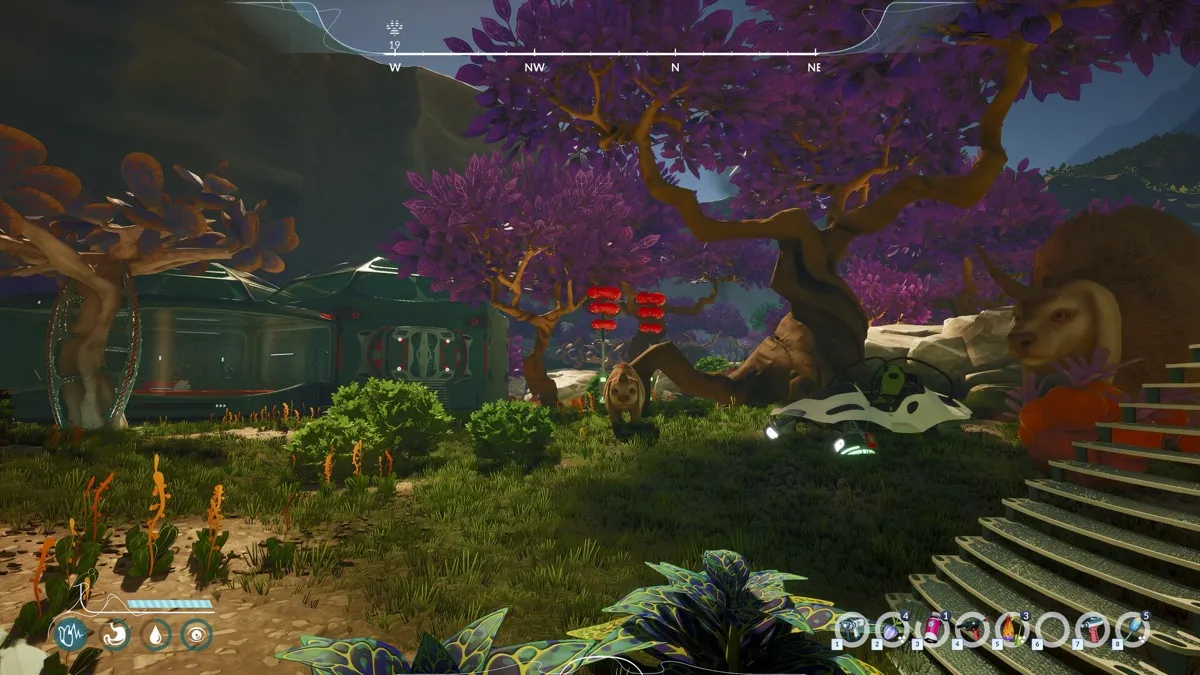
How does the building plan system work?
On paper — which is the point. The official site describes it directly: an easy building plan system to skip the hard work, with the tagline “now, you’re in control.” You plan the base; the construction side is handled for you. The building hub frames the same system as a planning-friendly blueprint layer that “handles the busywork when you just want a functioning lab” — the game’s answer to sandbox base-building that drowns players in manual placement.
Two layers make this work, both officially documented:
- Blueprints. Per the Steam page, “IVS will provide you with blueprints needed to live comfortably and efficiently.” The store copy frames IVS as the source of your designs — the plans come to you, and you decide what to build.
- Drones. The official site: “Use drones for help in building your lab and designing a modern base.” Construction assistance is delegated, not manual. The hands-on press walkthrough (Into Indie Games, September 10, 2026) documents the item: the Drone Builder is pinned via the Blueprints menu, crafted at a fabricator for “three Carbon Fiber, five Magnetite, and a Wiring Kit” (Carbon Fiber takes Graphite; the Wiring Kit takes Silver and Copper), and is the tool for placing structures and crafting doors.
What is IVS?
The blueprint provider named in the game’s official store copy — the entity whose plans you build from. How IVS relates to your employer EON Corp (the company that sent bioengineer Hennessy to Sota7, per the getting-started guide) is one of the live-game details we are still verifying; the store copy names both without spelling out the relationship.
What can you actually design?
The aesthetic direction is official and specific: modular pieces “inspired by natural shapes found in Art Nouveau” — developer Frozen Way’s own description — yielding solar-powered habitats raised on stilts with wide windows rather than blocky shelters. Design context and imagery live on the building hub; what each module costs and how placement snaps in the release build is a verification item tracked there.
A sensible design loop, consistent with everything officially described:
- Pick your site near water (see where to build first).
- Plan the layout — lab space first, since experiments are the base’s purpose (see the laboratory page).
- Bring the drones in to help raise it while you get back to fieldwork.
Does plan-mode building conflict with survival?
Not according to the official framing — it exists precisely to protect your time for survival and science. The game’s loop is scan, gather, experiment (the systems on the flora hub and creatures hub); construction-by-blueprint keeps the base growing without eating your field time. The official site’s own words for the base: “Your Base isn’t just a safe place; it’s where all your experiments come to life.”
Related Articles
More from the field survey
building
Base Utilities in Honeycomb: The World Beyond — Water Pumps & Solar Power
Base utilities in Honeycomb: The World Beyond — advanced water pumps and solar panels, why the official guidance says build near water, and powering the lab.
building
Laboratory in Honeycomb: The World Beyond — Your Base's Research Heart
The laboratory in Honeycomb: The World Beyond — the heart of the base where samples are analysed, plants grow in pods, and crossbreeding research happens.
building
Honeycomb Base Building Guide Hub
Base building hub for Honeycomb: The World Beyond — modular Art Nouveau habitats, the laboratory, drones, utilities, and Planning Mode, all in one place.
Was this helpful?
Thanks for the feedback!